
If you already have a password for your Peeptown account, you can log in with your email address and password instead of using the email OTP flow.
Step 1: Open the login page
Go to Peeptown Log In.
Step 2: Switch to password login
Click the Log in with password tab near the top of the login form.
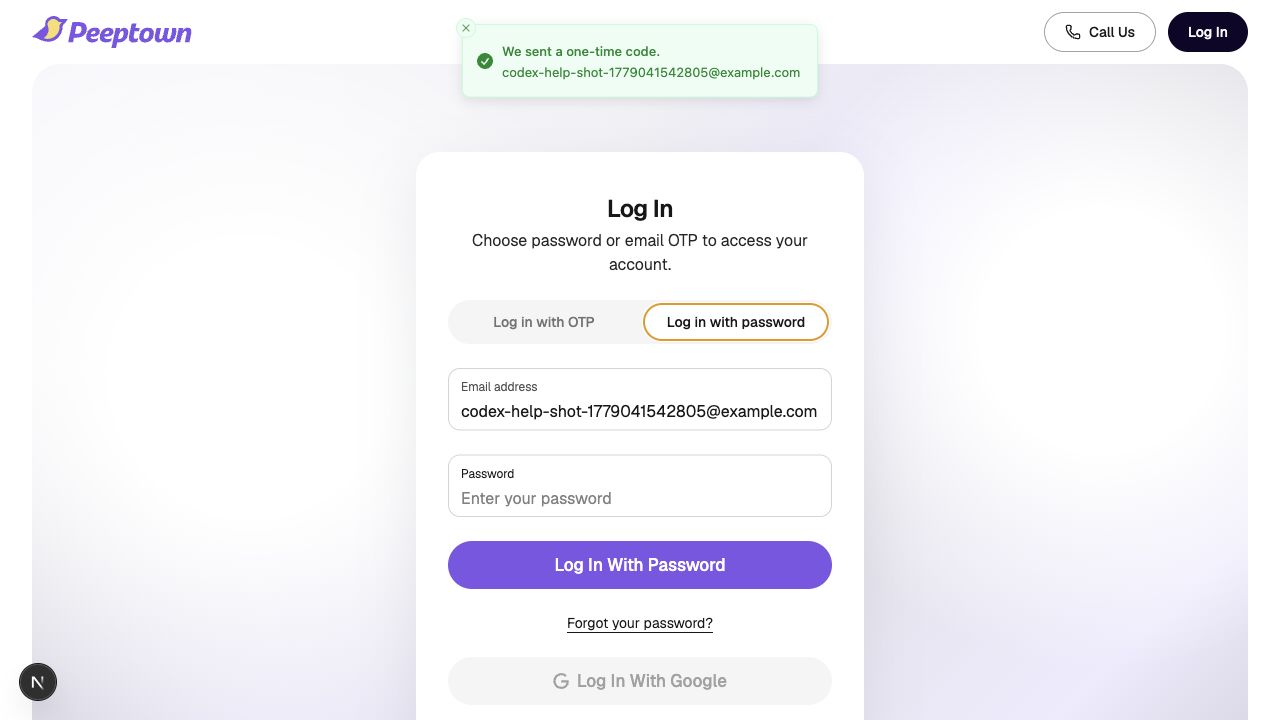
Step 3: Enter your account details
- Enter your Email address.
- Enter your Password.
Then click Log In With Password.
If your password does not work
- Double-check that you are using the same email address connected to your Peeptown account.
- Make sure there are no typing mistakes in the password.
- If you cannot remember your password, click Forgot your password? to send yourself a reset link.
Good to know
Password login and email OTP login can both work for the same account. Use whichever option is easier for you on the day you sign in.
Related guide: How to Request a Password Reset Link on Peeptown.